Omg Proxy: Network Client brings simple proxy control to Android
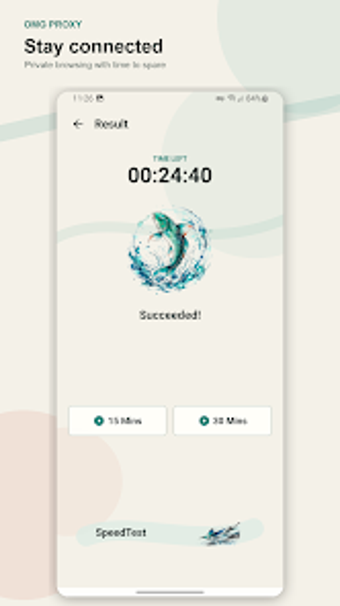
Omg Proxy: Network Client by SKINNY BOOZE DEVELOPER is an Android utility that manages device proxy connections to help users protect privacy and reach restricted content. It provides a quick connect mechanism and basic connection controls for redirecting app traffic through external proxies. The app presents a compact interface focused on simple setup and operation, exposing essential controls without deep configuration. It targets Android users who prefer a straightforward proxy client.
How the app creates a system-level tunnel on Android
The tool integrates with Android's networking layer via VpnService, which lets it establish a persistent tunnel and route traffic through the chosen proxy endpoint. That arrangement gives the app system-level routing control, so connected apps send packets through the tunnel rather than the device's default gateway. Users must grant the VPN permission before activation, and that permission is the mechanism the app uses to present a device-wide proxy route.
What to expect from device resource use and background operation
The client is built for light resource use and modern mobile hardware, aiming for low CPU and memory impact while active. It is designed to run in the background without requiring continual user interaction and to be compatible across a range of recent Android devices. The app's compact design keeps the interface minimal and reduces the number of visible settings that a casual user must manage.
Security posture and a notable data-handling caveat
The app advertises an encrypted network tunnel for transmitted data, which provides confidentiality while the tunnel is active. At the same time, the Google Play Data Safety information notes that some collected data may not be encrypted in transit by the app itself. The client is also ad-supported, which is relevant because advertisements commonly trigger additional network requests outside the tunnel.
Who gains practical value and an operational suggestion
The package suits non-technical Android users who want quick proxy access without heavy configuration; the developer's background is outside typical networking firms, coming from the beverage sector. For better results, try manual node switching to compare server responsiveness, and verify connection indicators after a change so you confirm which route actually carries your traffic.
Practical choice for casual proxy use, with clear trade-offs
The app is a pragmatic option for users who need straightforward proxy control on Android and prefer a compact client over feature-heavy alternatives. The trade-offs are transparent: ad-supported delivery and the Play Data Safety note about unencrypted collected data limit suitability for high-threat scenarios. Recommended.